Robot Vacuum Buying Guide 2026: What to Know Before You Buy
By The TopDealsFindr TeamPublished May 21, 2026
Robot vacuums went from $1,500 luxury toys to $200 essentials in five years — but the spec sheets got more confusing, not less. This guide breaks down the seven things that actually matter, what to skip, and the right pick for each home type. Read this before you spend $400+.
The 7 things that actually matter
Skip the marketing jargon. Here's the decision tree, in order of importance:
- Navigation type — lidar vs camera. Determines how well it maps your home.
- Suction power — measured in Pascals (Pa). Matters most on carpet.
- Obstacle avoidance — the difference between "amazing" and "I'm throwing this in the trash."
- Self-empty dock — the single biggest quality-of-life upgrade.
- Battery + runtime — only matters if your home is over 1500 sq ft.
- Mopping — most are bad at it. Buy a real mop instead.
- App quality — you'll use it daily. Bad apps ruin great vacuums.
Lidar vs camera vs random
Lidar (best)
A spinning laser on top of the vacuum maps your home in real-time, in any lighting condition. Faster, more accurate, works in pitch-dark rooms. Found in Roborock, Dreame and most $300+ vacuums today.
Camera-based (vSLAM)
Top-mounted camera maps the ceiling and walls. Works well in lit rooms, struggles in dim spaces. iRobot's signature approach.
Random navigation (avoid)
Bumps around at random until the battery dies. Found on sub-$200 models. Fine for a single small room, frustrating anywhere else.
How much Pa do you actually need?
- Hard floors only: 1500–2000 Pa is plenty.
- Mixed floors + low-pile rugs: 2500+ Pa.
- Pets + medium-pile carpet: 3000+ Pa.
- High-pile shag: no robot will handle this well. Use a stick vacuum.
The feature that separates $300 from $600 vacuums
Cheap robots use bump sensors — they hit something, then go around. Premium robots use a front-facing camera + AI to identify and avoid cables, socks, shoes, toys and pet waste BEFORE hitting them.
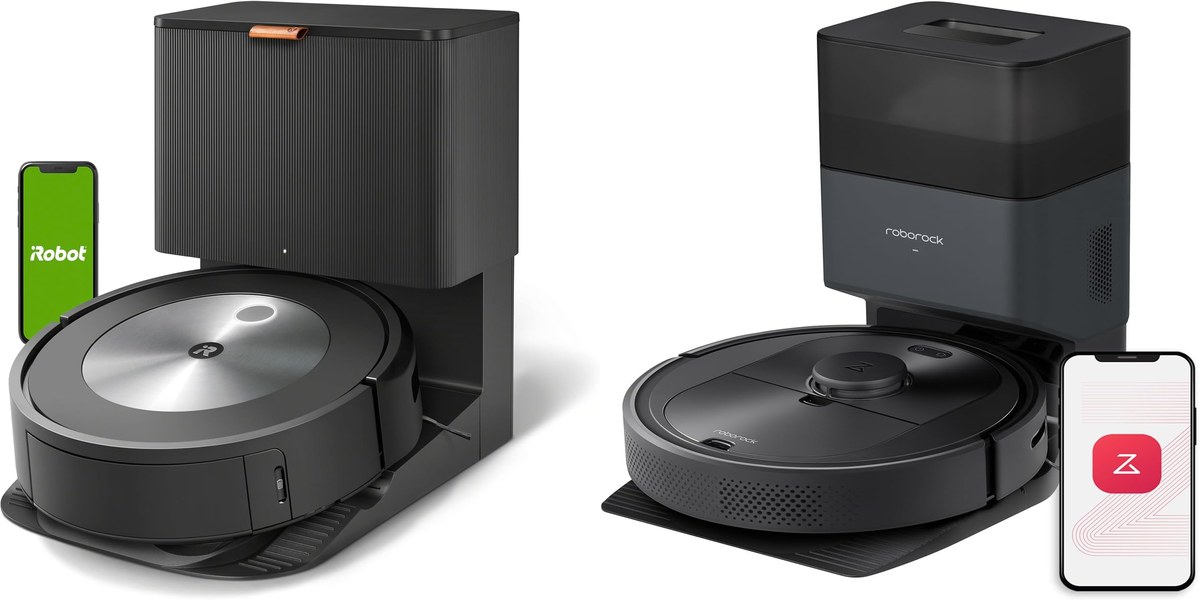
If you have pets or kids, this is the single feature worth paying extra for. The Roomba j7+ is the benchmark — iRobot guarantees it won't run over pet waste or they'll replace the unit free.
The biggest quality-of-life upgrade in the category
A self-empty dock holds 6–8 weeks of dirt in a sealed bag. You go from emptying the dustbin every 2–3 days to once every two months. Worth the $100–$150 premium over the base model in every case.
Replacement bag cost: $25–$30/year. A non-issue.
The truth about robot mopping
Most robot mops scrub with a wet pad dragged across the floor — they smear dirty water more than they clean. Only the $1,000+ models (Roborock S8 Pro Ultra, Dreame X40) have real rotating mop heads that lift off carpets and rinse themselves.
Honest advice: under $700, treat mopping as a "nice to have," not a deciding factor. A $40 spray mop will out-clean any sub-$700 robot mop.
The boring spec that matters most after week one
You'll touch the app 200+ times a year — to set schedules, no-go zones, room labels, suction levels. A bad app makes a great vacuum miserable.
- Best apps: iRobot Home, Roborock.
- Functional: Dreame, Shark.
- Avoid: generic Tuya-based apps on unbranded Amazon vacuums.
The right vacuum for you
Pets + cables on the floor: Roomba j7+. The obstacle avoidance is worth every dollar.
Large open home, hard floors: Roborock Q5+. More suction, lidar, longer runtime, $170 cheaper than the Roomba.
Want mopping + vacuum in one unit: Dreame D10 Plus. The best vac+mop combo under $400.
First-ever robot vacuum, single room: Eufy RoboVac 11S. Sub-$200, no app, just works.
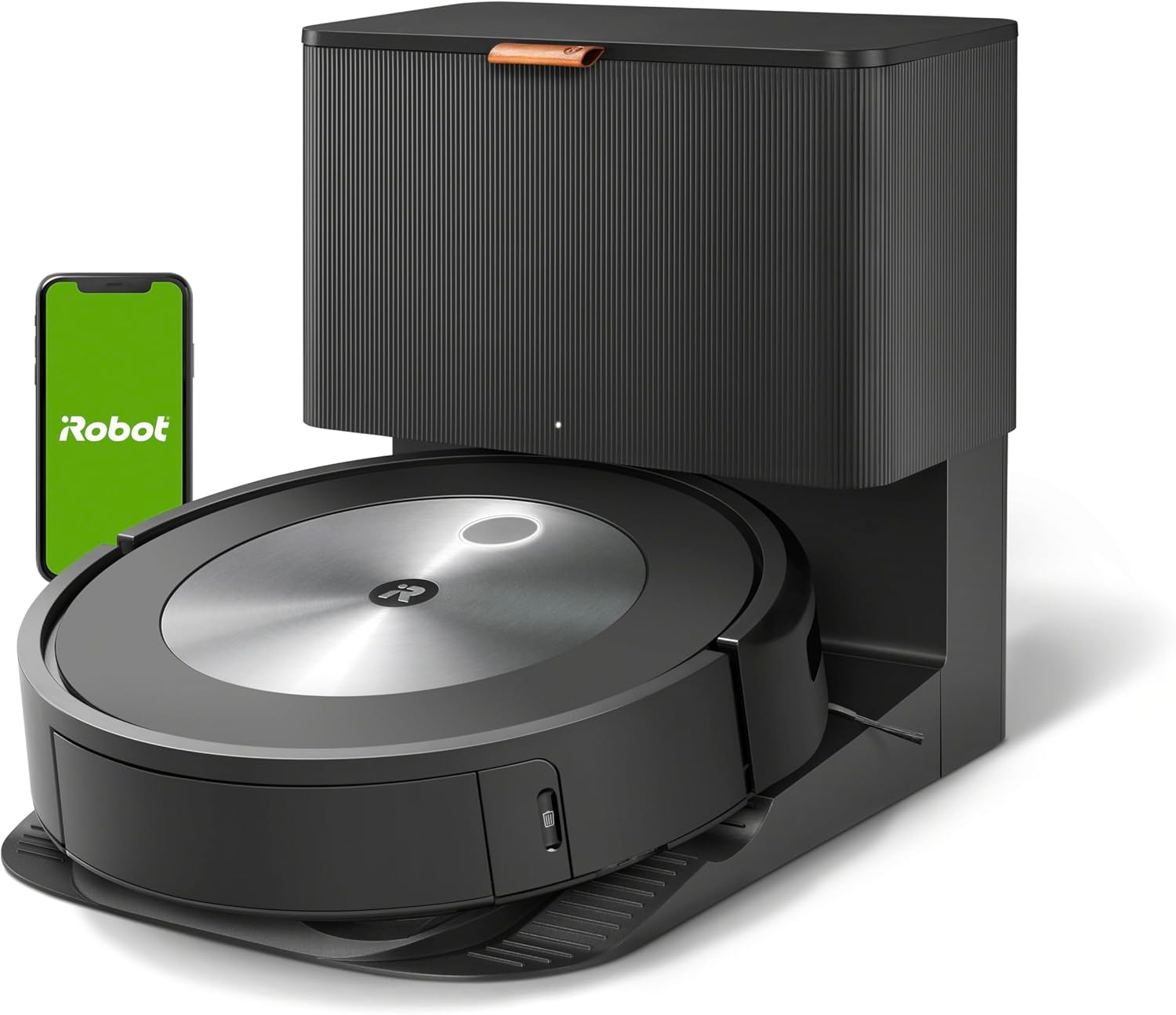
iRobot Roomba j7+
The pet-and-cable winner. Best obstacle avoidance in the price range.
- Won't run over pet waste — guaranteed
- Best app in the category
- 60-day self-empty bag
- Weaker suction than rivals
- Camera nav slower in dark rooms
The right pick if you have pets, kids, or messy floors. Worth the premium for the obstacle avoidance alone.
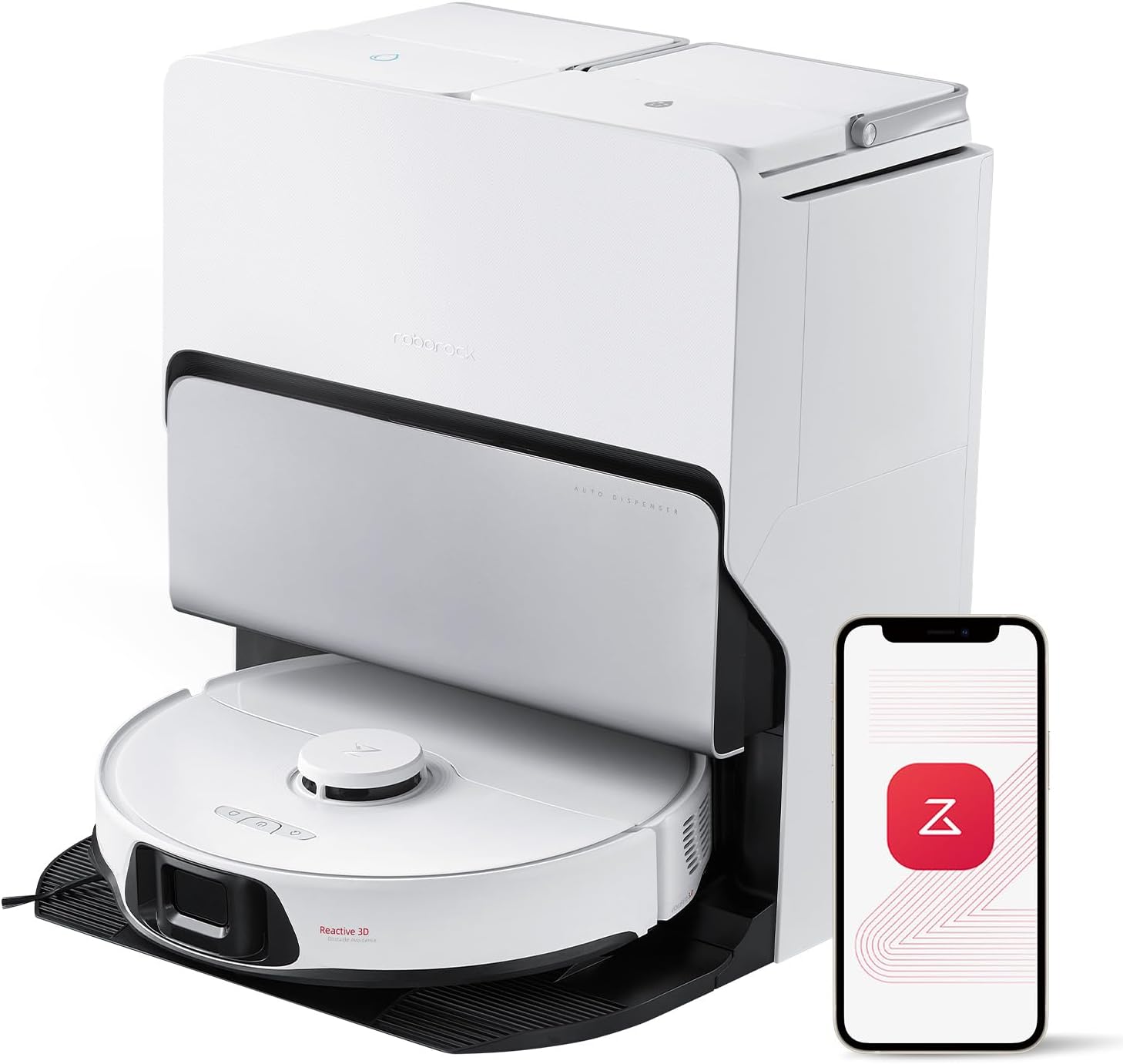
Roborock Q5+
Best value with self-empty. 2700 Pa suction, lidar nav, 180-min runtime.
- Stronger suction than Roomba
- Lidar — works in dark rooms
- Massive 7-week dock
- No obstacle avoidance
- Slightly clunky app
The best self-emptying vacuum under $500. Skip only if you need obstacle avoidance for pets.
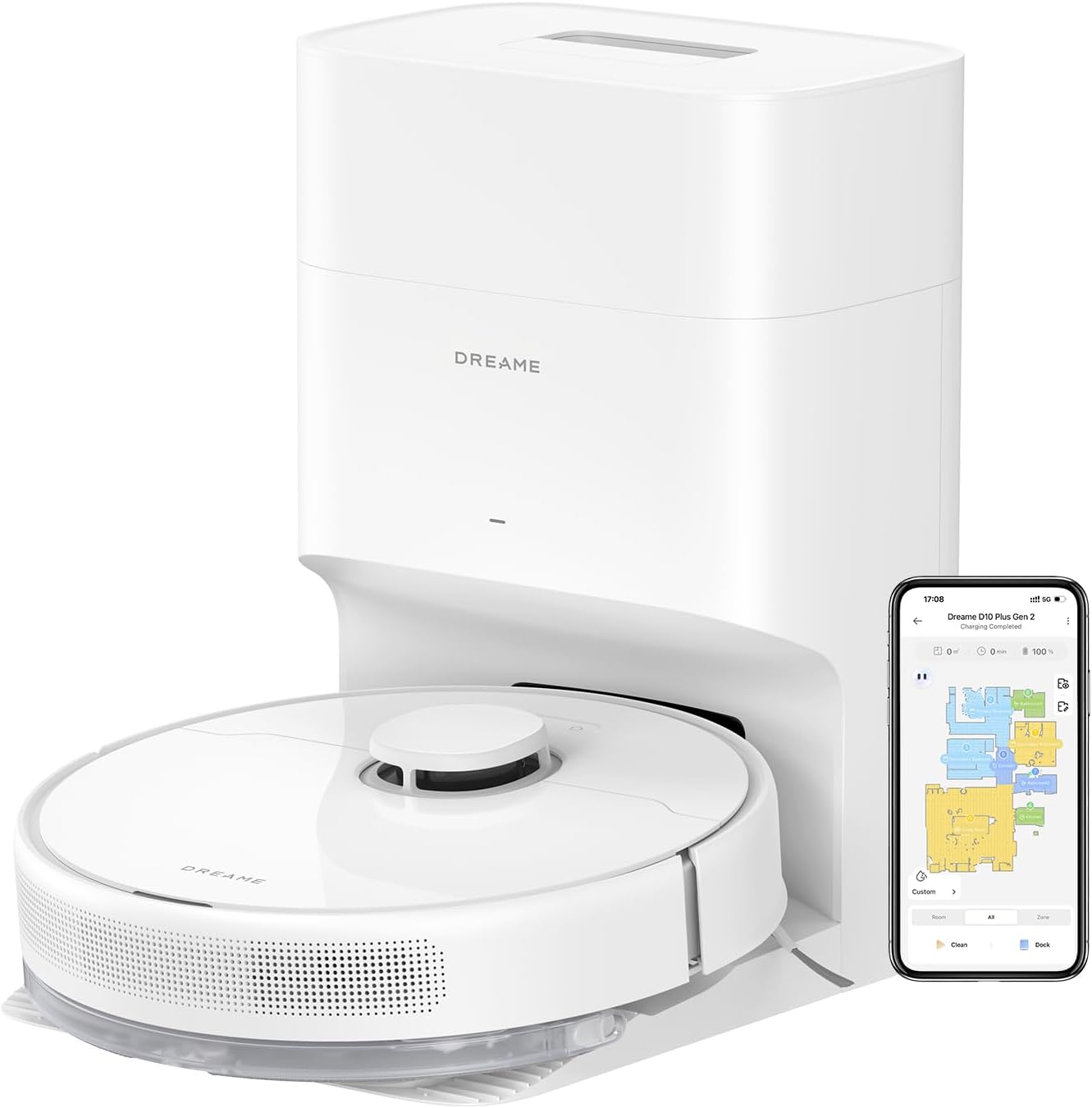
Dreame D10 Plus
Best vac + mop combo. Real mopping plate, lidar, self-empty — under $400.
- Genuine mopping (not just damp dragging)
- 4000 Pa suction
- Self-empty dock included
- Mopping still won't replace a deep clean
- App less polished than iRobot
The best all-rounder under $400. If you want one device for vacuum + light mop, this is it.
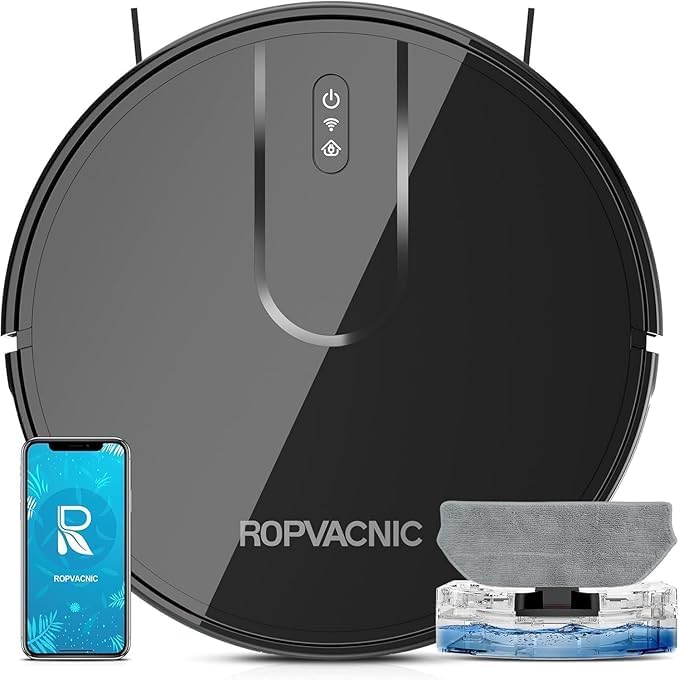
Eufy RoboVac 11S
Best entry-level. No app, no mapping — just a quiet robot that vacuums.
- Sub-$200
- Whisper-quiet (55 dB)
- Slim profile — fits under sofas
- Random navigation
- No app, no scheduling
- No self-empty
The smartest first-ever robot vacuum. Perfect for a single room, apartment, or as a gift.
Features that don't matter (yet)
- Voice control: you'll use it twice, then forget. Schedule via the app instead.
- "AI room recognition": marketing fluff. All lidar vacuums label rooms correctly.
- Pressure-washing mop docks: only worth it on $1,200+ models. Below that, the docks break.
- 10,000+ Pa suction claims: marketing. Real-world suction tops out around 5,000 Pa.
The 80/20 of buying a robot vacuum
If you're spending $400+, get lidar navigation + self-empty at minimum. If you have pets or cables, pay the extra $170 for obstacle avoidance. Everything else is marketing.
Disclosure: TopDealsFindr earns a commission on purchases made through links in this article. It never affects which products we recommend.
More smart home guides
- Best Robot Vacuum 2026: Top 5 Picks Ranked — the full ranked list.
- Roomba j7+ vs Roborock Q5+ — the head-to-head for self-empty buyers.
- Best Robot Pool Cleaners 2026 — the outdoor counterpart.
More guides for you

Found this useful? Share it.
Save to Pinterest%22%2F%3E%0A%20%20%20%20%3Crect%20x%3D%2260%22%20y%3D%2260%22%20width%3D%22880%22%20height%3D%221380%22%20fill%3D%22none%22%20stroke%3D%22%23fbbf24%22%20stroke-width%3D%223%22%2F%3E%0A%20%20%20%20%3Ctext%20x%3D%22500%22%20y%3D%22220%22%20text-anchor%3D%22middle%22%20font-family%3D%22Georgia%2C%20serif%22%20font-size%3D%2234%22%20fill%3D%22%23fbbf24%22%20letter-spacing%3D%228%22%3ESMART%20HOME%3C%2Ftext%3E%0A%20%20%20%20%3Ctext%20text-anchor%3D%22middle%22%20font-family%3D%22Georgia%2C%20serif%22%20font-size%3D%2296%22%20font-weight%3D%22700%22%20fill%3D%22%23ffffff%22%3E%3Ctspan%20x%3D%22500%22%20y%3D%22340%22%3ERobot%20Vacuum%3C%2Ftspan%3E%3Ctspan%20x%3D%22500%22%20y%3D%22460%22%3EBuying%20Guide%202026%3A%3C%2Ftspan%3E%3Ctspan%20x%3D%22500%22%20y%3D%22580%22%3EWhat%20to%20Know%3C%2Ftspan%3E%3Ctspan%20x%3D%22500%22%20y%3D%22700%22%3EBefore%20You%20Buy%3C%2Ftspan%3E%3C%2Ftext%3E%0A%20%20%20%20%3Ctext%20x%3D%22500%22%20y%3D%221240%22%20text-anchor%3D%22middle%22%20font-family%3D%22Helvetica%2C%20Arial%2C%20sans-serif%22%20font-size%3D%2228%22%20fill%3D%22%23cbd5e1%22%20letter-spacing%3D%224%22%3EEXPERT%20REVIEWS%20%C2%B7%202026%3C%2Ftext%3E%0A%20%20%20%20%3Ctext%20x%3D%22500%22%20y%3D%221360%22%20text-anchor%3D%22middle%22%20font-family%3D%22Helvetica%2C%20Arial%2C%20sans-serif%22%20font-size%3D%2244%22%20font-weight%3D%22700%22%20fill%3D%22%23ffffff%22%20letter-spacing%3D%222%22%3Etopdealsfindr.com%3C%2Ftext%3E%0A%20%20%3C%2Fsvg%3E)